
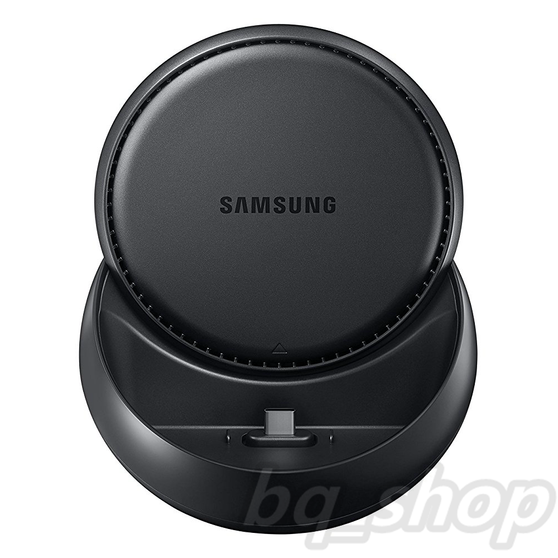


Leave your computer behind.
Samsung DeX lets you connect your Galaxy S8/S8+ to a monitor, keyboard and mouse for a desktop experience powered by your phone.
So you can turn any place into a workplace.
* When using Samsung DeX, actual mobile display turns into standby mode.
Enjoy a desktop experience.
Samsung DeX gives you what you want from a desktop experience: a big screen, a full-size keyboard and a mouse.
Just plug your phone into the DeX Station to use apps, review documents and set or check notifications on a desktop interface.
* UI of the actual product may be different.
* Microsoft Office requires users to purchase licenses.
* Microsoft Word and Microsoft PowerPoint require a download to use.
Be a powerhouse of productivity.
Some things are just easier on a desktop, like sending an email, bolding text, or copying and pasting between apps.
With Samsung DeX, it can be done with a click of a mouse or a punch of a key.
* UI of the actual product may be different.
* Microsoft Office requires users to purchase licenses.
* Microsoft Word and Microsoft PowerPoint require a download to use.
Take your apps to desktop mode.
Use Samsung DeX to make your apps more desktop-like, see more content with an expanded interface and get what you need, fast.
The same emails, photos and files on your phone are now more accessible in a desktop environment.
* Microsoft Excel and Microsoft PowerPoint, Adobe Photoshop Lightroom require a download to use.
* MS Office requires users to purchase licenses.
Keep using your phone.
Your phone is still a phone, even when it’s plugged into the DeX Station.
Phone calls, text messages and settings are all accessible from the taskbar on your monitor.
Operate a system with a DeX Station.
|
Built-in cooling fan
|
Acts as a phone charger
|
Lightweight 230g |


Supports various ports
|
Ethernet |
HDMI |
USB 2.0 |
USB Type C |


Package Contents:
- Samsung Dex Station Dock